Am 6. März 2025 jährte sich zum vierten Mal der Tag, an dem ich mein Tesla Model 3 Long Range AWD abgeholt habe.
Das nehme ich zum Anlass, einen kleinen Rückblick auf meine ersten vier Jahre als Fahrer eines Elektroautos zu geben – und ein persönliches Fazit zu ziehen.
Ein bisschen Experiment war es schon, sich als fünfköpfige Familie ein Model 3 zuzulegen. Aber wie das folgende Foto zeigt, kann man damit problemlos zwei Wochen Urlaub in Kroatien machen.
Dank Dachbox klappt sogar ein Skiurlaub mit fünf Skiausrüstungen und vier Snowboards.
Insgesamt habe ich mittlerweile über 110.000 km mit meinem Model 3 zurückgelegt.
Bei den vielen Gesprächen im Vorfeld, bei denen ich mit meinen Mitkämpfern versucht habe, die Nachbarn
von den Vorteilen eines Glasfaseranschlusses zu überzeugen, haben wir oft das Argument gebracht, dass ein
Glasfaseranschluss zukunftssicher ist und später noch viel höhere Geschwindigkeiten damit möglich sein werden.
Mittlerweile wurde auch beim Breitband in Oberösterreich die Infrastruktur von den Anbietern der Tarife getrennt und man
kann für seinen Glasfaseranschluss aus Tarifen verschiedener Anbieter wählen.
Schon seit längerer Zeit versuche ich unserer iDM Wärmepumpe Terra SW 10 mitzuteilen, wenn Überschuss von unserer
PV Anlage zur Verfügung steht. Leider ist die Wärmepumpe Baujahr 2018 und verfügt über das Navigator 1.7 Interface,
welches noch nicht so viele Funktionen für Smarthome bietet, wie das aktuell Navigator 2.0 Interface.
Laut Dokumentation der iDM gibt es folgende Schnittstellen für Kommunikation zwischen PV Anlage und Wärmepumpe:
Schwellwertschalter - Potentialfreier Kontakt
S0-Schnittstelle
0-10V Signal
Kommunikation über Solar-Log
Modbus TCP
Nachdem ich die Wärmepumpe bereits via Ethernet ans Netzwerk angeschlossen habe, und Loxone schon über Modbus TCP
verschiedenste Werte ausliest, war das für mich die naheliegendste Variante. Aus diesem Post in einem Forum und bestätigt durch den Support von iDM,
konnte ich herausfinden, dass das Register 74 mit dem Wert des PV Überschuss zu beschreiben ist.
Vor 2 Jahren habe ich einen Blog Post darüber geschrieben, wie ich die Waage unseres Thermomix repariert habe.
In der Zwischenzeit habe ich das ganze Prozedere weitere zwei mal gemacht, weil die Waage nach ein paar Monaten wieder nicht funktioniert hat.
Letzte Woche hat mich ein Leser kontaktiert, und mich gefragt wie lange die Reparatur gehalten hat. Er hatte nämlich entdeckt dass auf
ebay
Reparatur Sets für die Waage des TM5 angeboten werden.
Am 18.10. findet also jetzt denn endlich das AppleEvent “Unleashed” statt auf dem hoffentlich
neue MacBook Pro vorgestellt werden (und wahrscheinlich AirPods).
Nachdem ich schon sehr begeistert von dem MacBook Pro 13" Geräten war die ich für Kollegen
angeschafft habe, warte ich schon seit Monaten sehnsüchtig auf diese Geräte (weil ich ein 16" MacBook haben will).
Es gibt ja schon viele Gerüchte rund um die Geräte und ich möchte sie in diesem Thread mal durchgehen
und meine Einschätzung dazu abgeben - nur um dann nächste Woche zu sehen wie weit ich daneben gelegen haben 😉
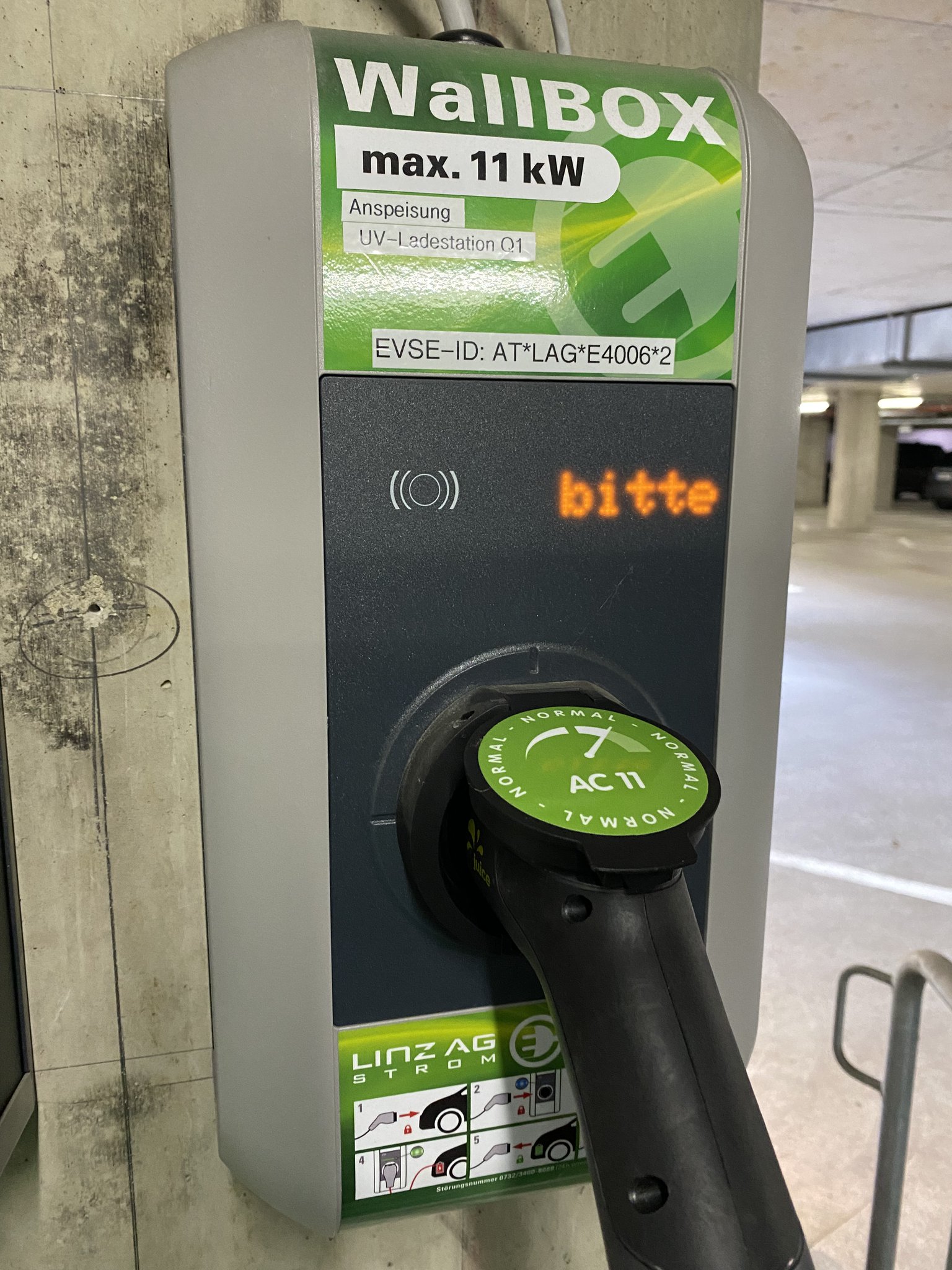
Großes Ladekarten-Rätsel gelöst 🤦🏻♂️ Seit ein paar Wochen experimentiere ich damit unterwegs mit meinem Tesla Model 3 an verschiedenen Ladesäulen zu laden (nicht Superchargern) - hauptsächlich aus Interesse an der aktuellen Situation. 🔋🚗
Ausgelöst wurde das ganze eigentlich auch davon, dass im TechCenter Linz, wo wir mit der troii Software eingemietet sind, Ladestationen in der Tiefgarage installiert wurden. Für die Verwendung dieser Linz AG Ladestationen benötigt man eine Ladekarte.
Nachdem ich “am Land” wohne, hab ich mir eine Energie AG Ladekarte bestellt.
Diese ist 3 Tage später im Briefkasten gelegen und hat beim ersten Test im Nachbarort gleich funktioniert.
Gestern Abend habe ich in meinem facebook Feed plötzlich ein Posting gesehen in dem jemand seinen Thermomix zerlegt hat, weil die Waage auf seinem Thermomix nicht mehr richtig funktioniert hat.
Da ich das Problem sehr gut kenne bin ich aufmerksam geworden. Wir haben unseren Thermomix TM5 schon einmal eingesendet als er noch in der Garantiezeit war weil die Waage gesponnen hat. Und jetzt hat er das Problem schon wieder seit ein paar Monaten:
Grund dafür war, dass ich in den letzten Wochen schon 3 mal einen Stromausfall hatte und ich verhindern will, dass mein HP Elite Desk Ubuntu Server oder die Time Machine Backups auf meinem AirPort Extreme Schaden nehmen. Außerdem bin ich gespannt ob ich so bei Stromausfall auch noch Internet habe nachdem meine gesamten Unifi Netzwerkkomponenten jetzt auch an der UPS hängen und der Glasfaserzugang auch weiter funktioniert müsste.
Before we used logspout to aggregate all the logs generated in our Docker containers on papertrail. So we were quite happy to see that there is a good log aggregation service included out of the box for applications running on Google Kubernetes Engine (GKE).
Having most of the logs inside of Google Cloud Logging we were wondering if it is possible to ditch papertrail completely and to redirect the log from all our Docker containers to Google Cloud Logging even if they are running on external servers.